On-Call Manager
The On-Call Manager is an interactive schedule management dashboard that lets you view current on-call rotations, create and edit overrides, and manage escalation policies — without leaving your IDE. Built on the MCP Apps extension.
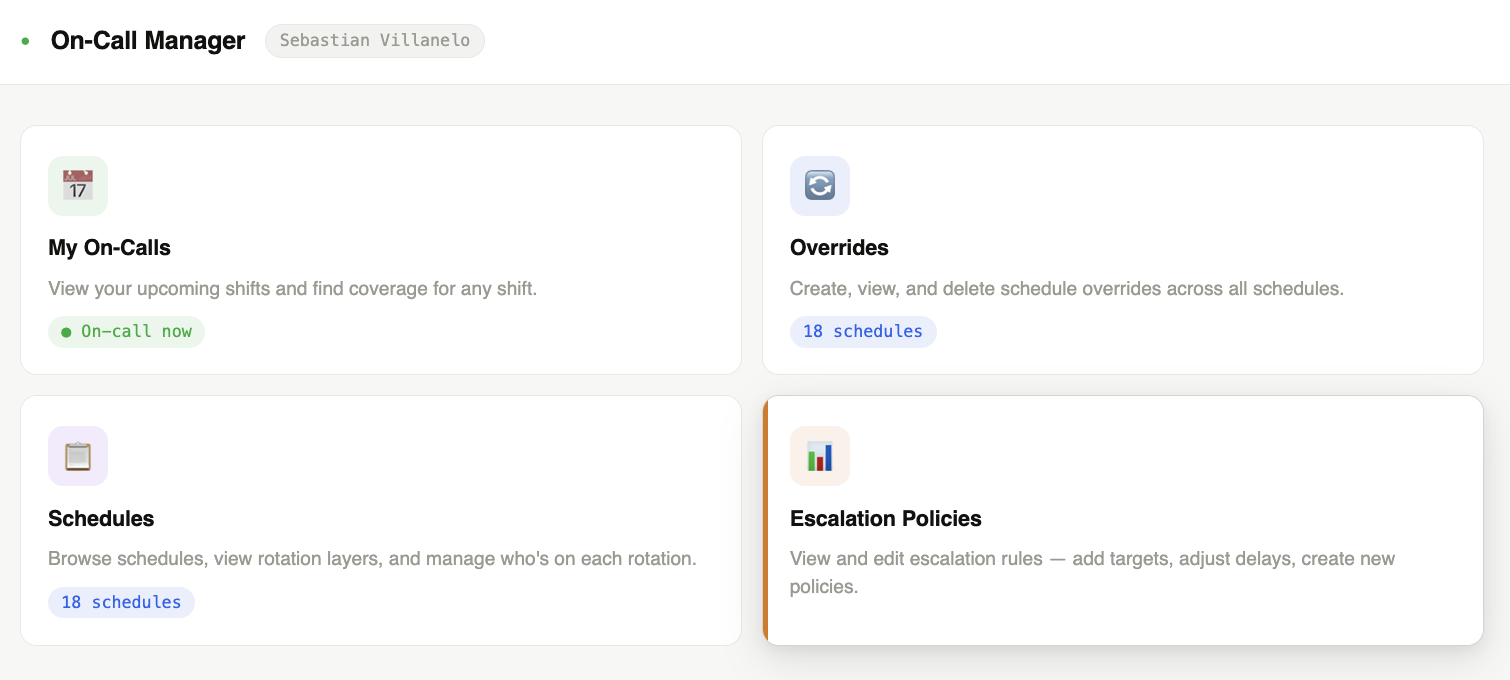
What you see
The app opens with your current on-call context (who is on-call right now for your schedules) and a set of management tabs.
My On-Calls
A summary of the schedules where you are currently on-call, with the shift start and end times.
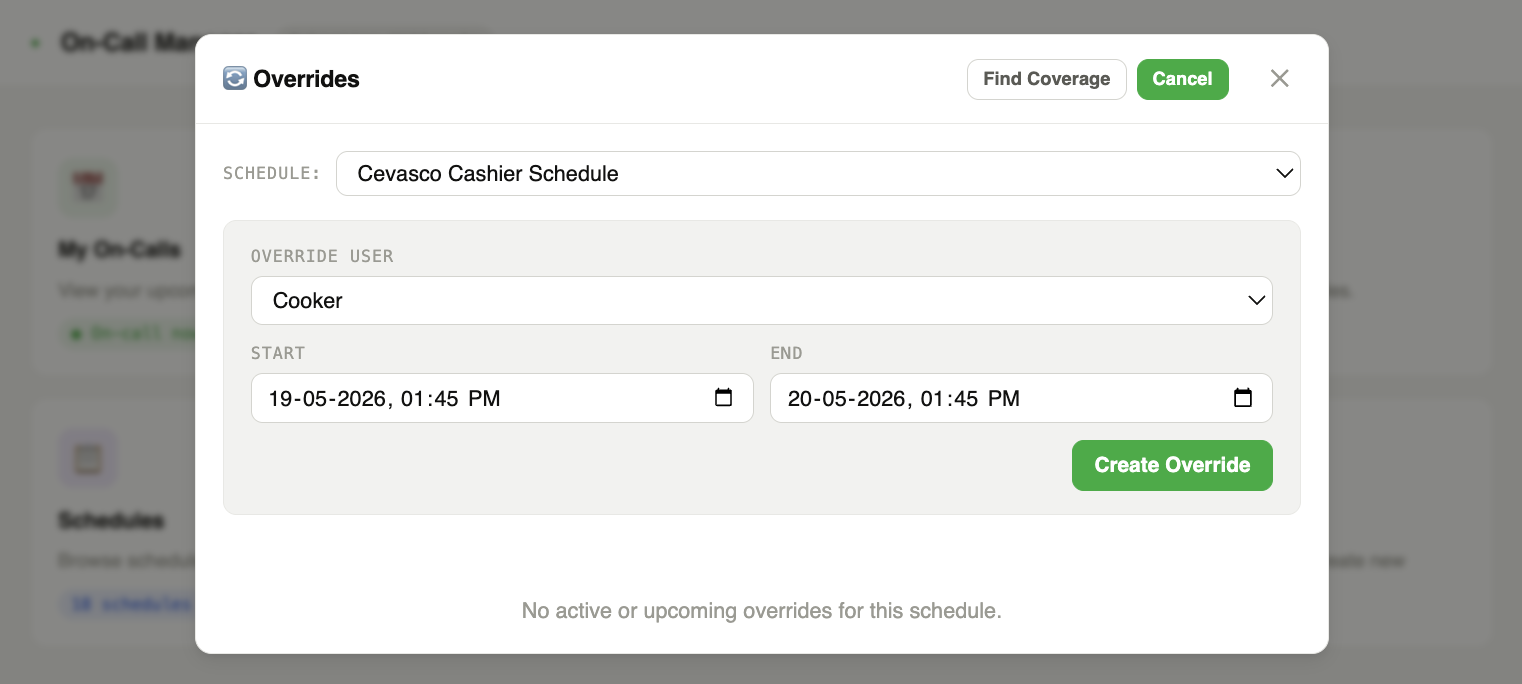
Schedules
A full list of your organization's schedules with the current on-call user for each. Click any schedule to open the Schedules modal.
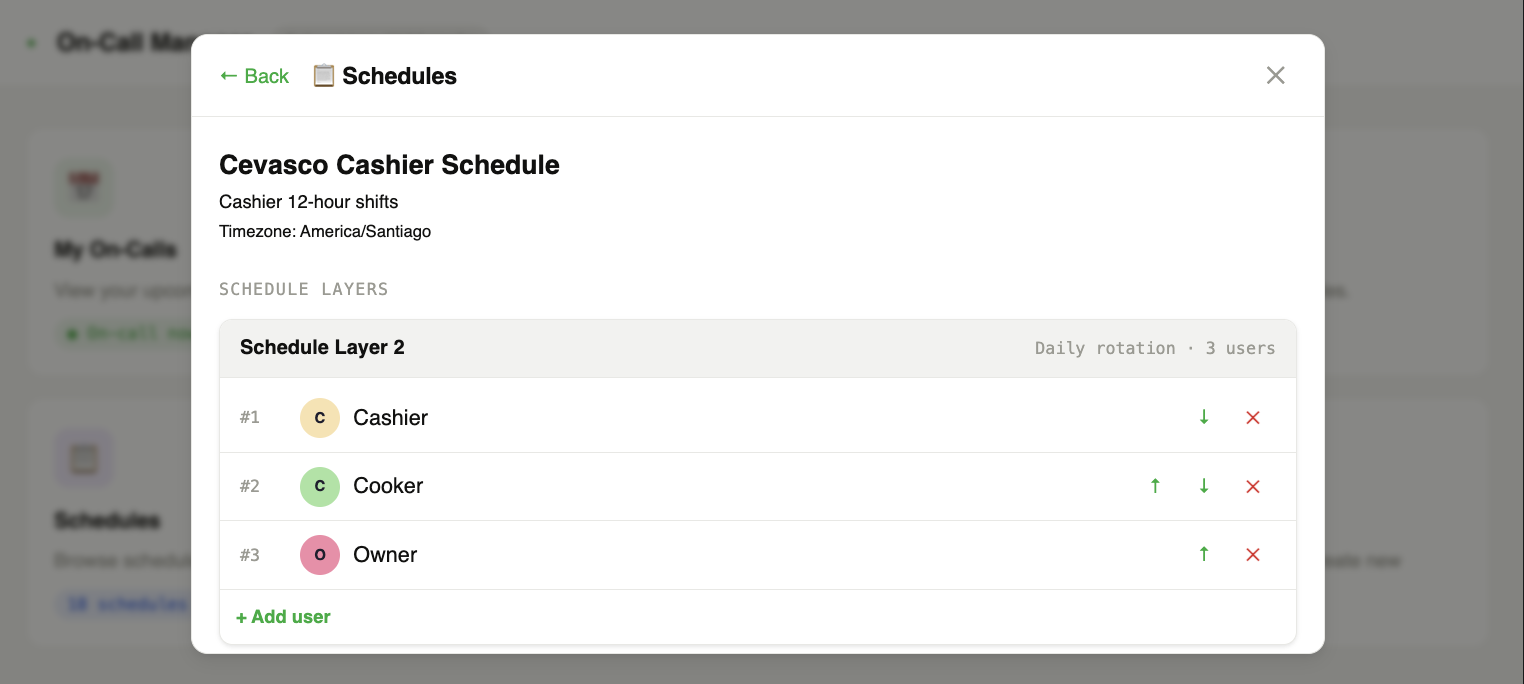
Overrides
Active and upcoming schedule overrides. Click any override to edit or delete it, or use the New Override button to create one.
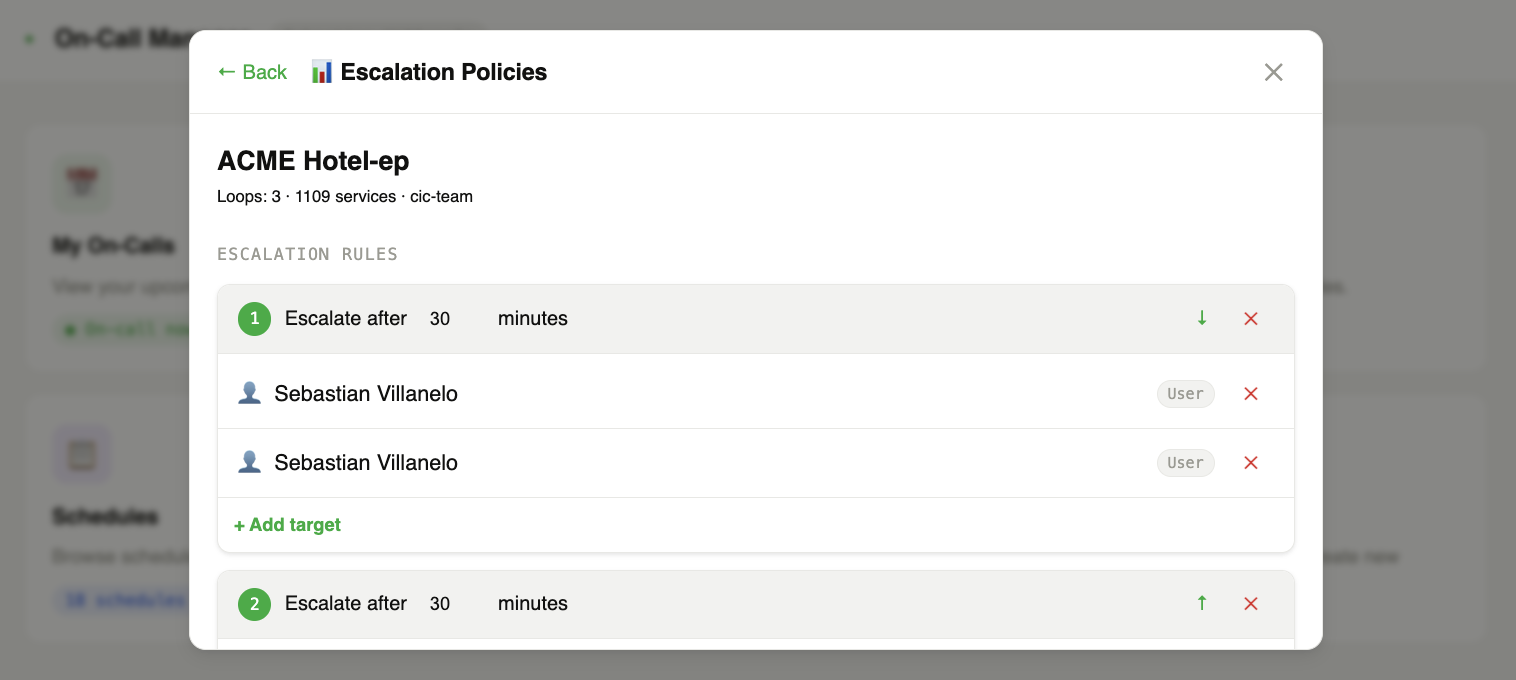
Escalation Policies
A list of escalation policies with their service assignments and on-call layers. Click any policy to view and manage it.
What you can do
Create a schedule override
- Open the Overrides tab
- Click New Override
- Pick the schedule, the user to cover, and the start/end time
- Click Save — the override is created immediately in PagerDuty
Edit or delete an override
Click any existing override row to open the edit modal. You can change the times or delete the override entirely.
Manage escalation policies
Click any policy in the Escalation Policies tab to see its layers, notification rules, and assigned services.
How it works
The On-Call Manager calls PagerDuty schedule and override tools through the MCP server. Write operations (create/edit/delete overrides) require the --enable-write-tools flag.
Supported clients
| Client | Status |
|---|---|
| VS Code (GitHub Copilot) | Supported |
| Claude Desktop | Supported |
| Goose | Supported |
Try it out
The On-Call Manager is available on the experimental branch:
uvx --from git+https://github.com/PagerDuty/pagerduty-mcp-server@experimental pagerduty-mcp --enable-write-tools
Then ask your agent:
Show me the on-call manager
The On-Call Manager is experimental. It may change or break between commits and is not covered by the standard support policy. Run it in non-production environments.
Feedback
Found a bug or missing feature? Open a GitHub issue tagged experimental: