On-Call Compensation Report
The On-Call Compensation Report is an interactive data table that breaks down on-call burden by person — hours scheduled, incidents responded to, off-hours interruptions, compliance status, and fairness scoring. Built on the MCP Apps extension, it surfaces the data you need for compensation reviews, load balancing conversations, and team health check-ins, all inside your agent chat session.
The report has four tabs: Compensation, Compliance, Fairness, and Settings.
Compensation tab
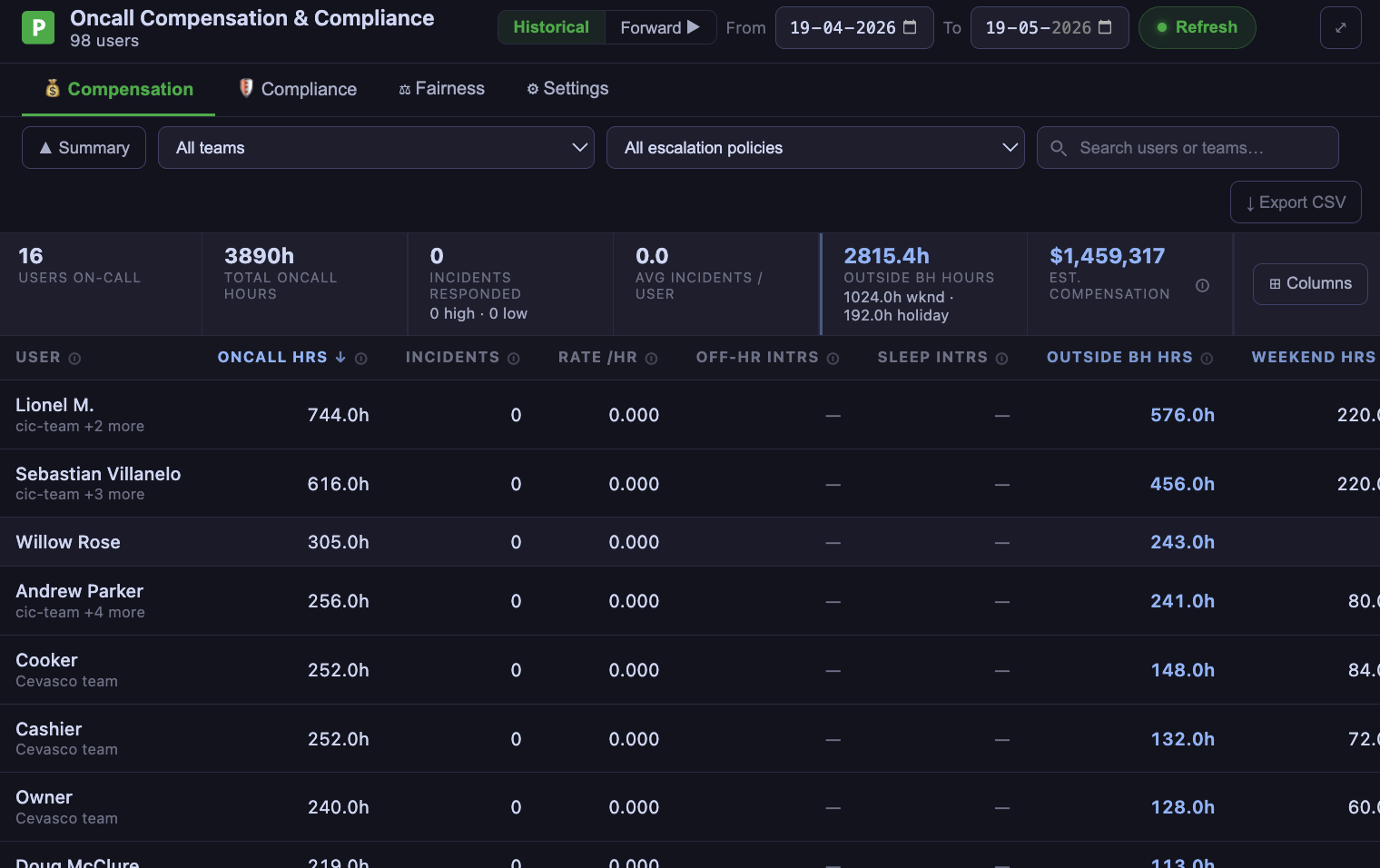
The main view. A summary row of fleet-wide stats at the top, followed by a sortable per-user table. Switch between Historical (past data) and Forward (projected based on scheduled shifts) using the mode toggle.
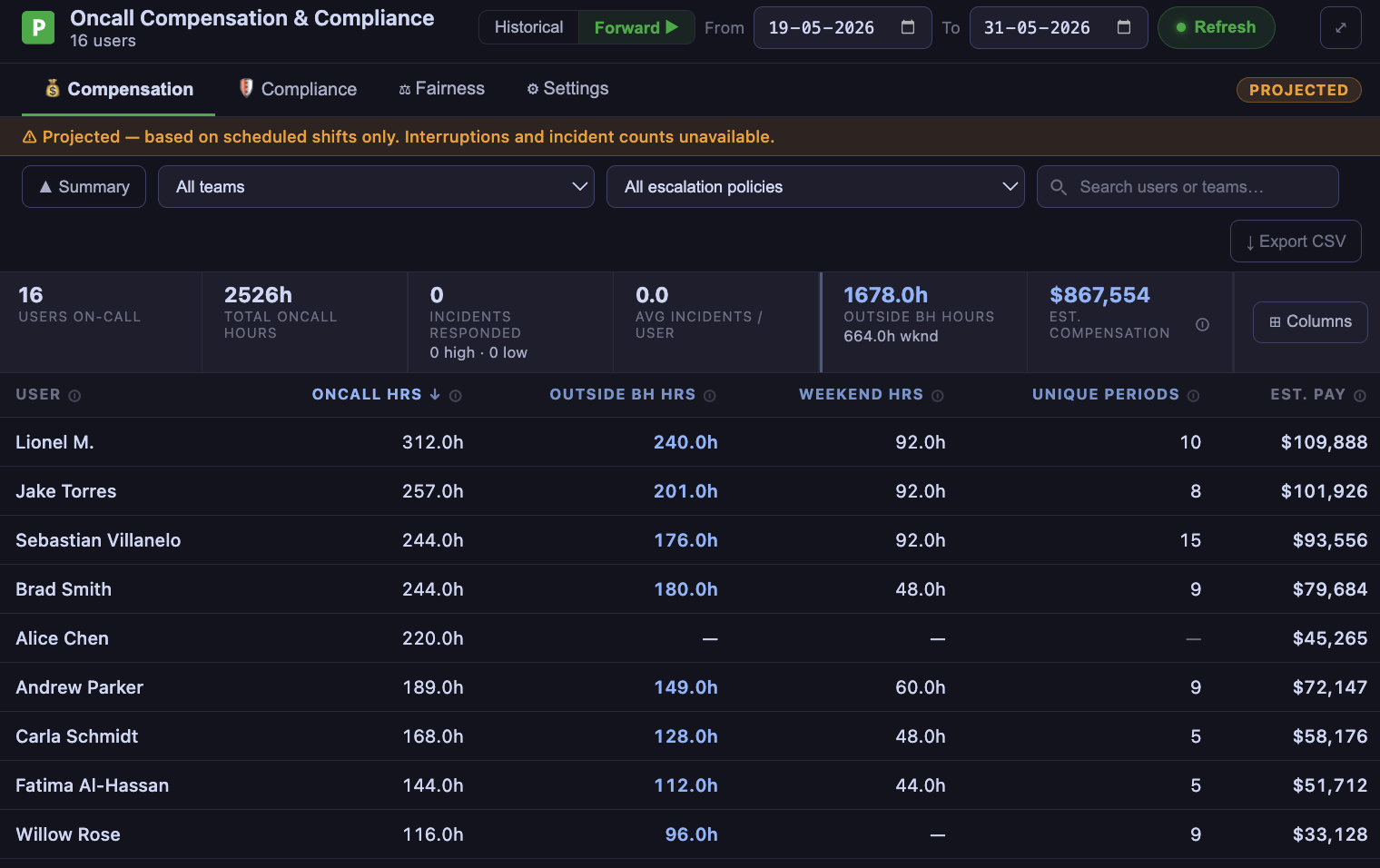
Summary cards
| Card | What it shows |
|---|---|
| Users On-Call | Total number of users who were on-call in the selected period |
| Total On-Call Hours | Sum of all scheduled on-call hours across all users |
| Incidents Responded | Total incidents, split into high and low urgency |
| Avg Incidents / User | Mean incident count per on-call user |
| Off-Hour Interruptions | Interruptions outside business hours across all users |
| Est. Pay | Estimated compensation total based on configured pay rates |
Compensation table columns
Each column is toggleable via the column picker:
| Column | Description |
|---|---|
| On-Call Hrs | Total hours scheduled on-call during the period |
| Incidents | Total incidents the user was involved in |
| Rate /hr | Interruptions per on-call hour |
| Off-Hr Intrs | Interruptions outside business hours |
| Sleep Intrs | Interruptions during typical sleep hours (~10pm–8am) |
| Outside BH Hrs | On-call hours outside your configured business hours |
| Weekend Hrs | On-call hours on weekend days |
| Holiday Hrs | On-call hours on configured holidays |
| Unique Periods | Number of distinct out-of-hours windows |
| Est. Pay | Estimated compensation based on pay rate multipliers |
Compliance tab
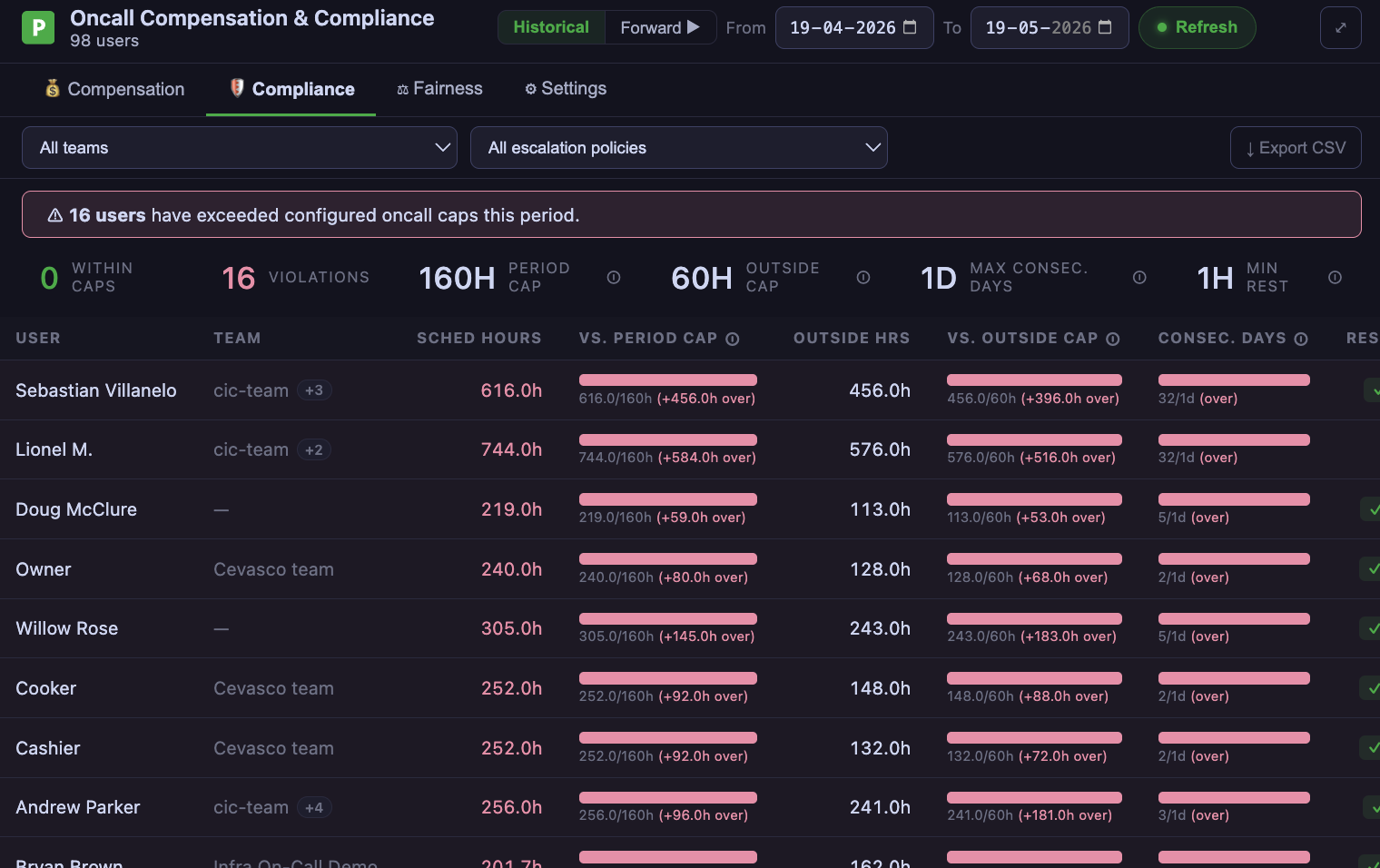
Shows how each user tracks against configured compliance caps — period total hours, outside-hours cap, consecutive on-call days, and more. Users approaching or exceeding limits are highlighted. Supports EMEA, US, and custom rule templates.
Fairness tab
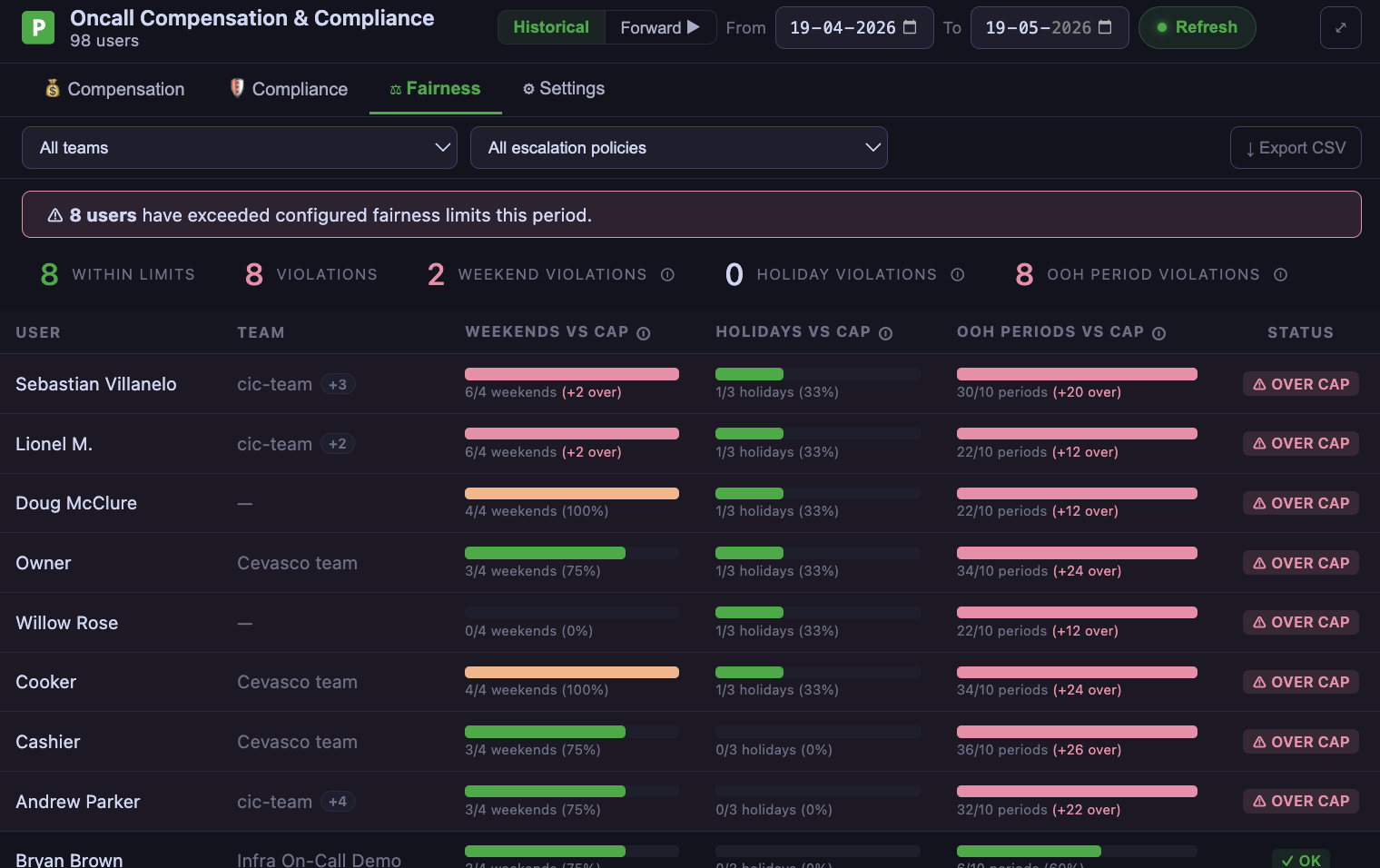
Compares each user's weekend, holiday, and off-hours periods against configurable caps. Users flagged OVER CAP in any category are surfaced immediately so workload can be rebalanced before the next period.
Settings tab
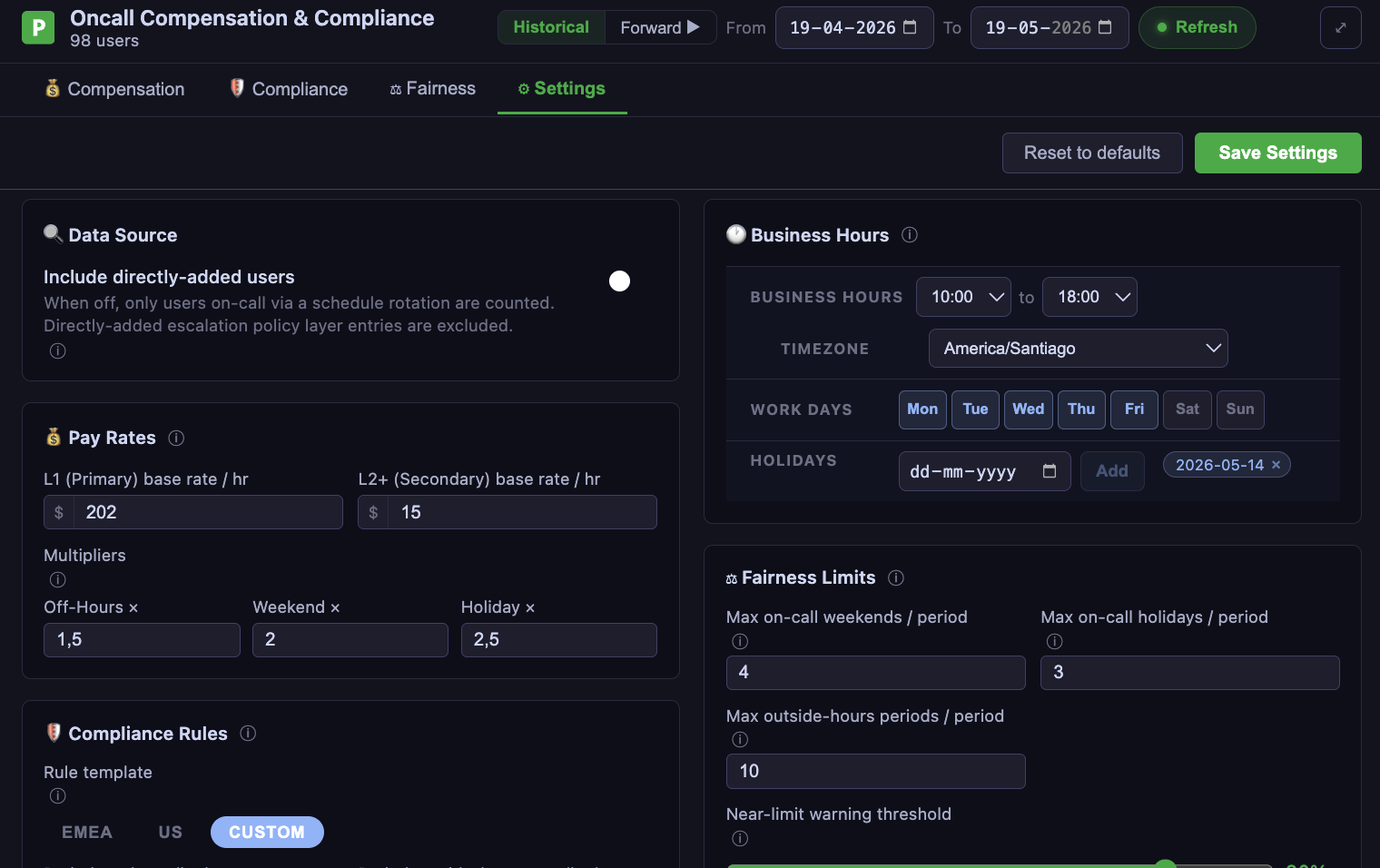
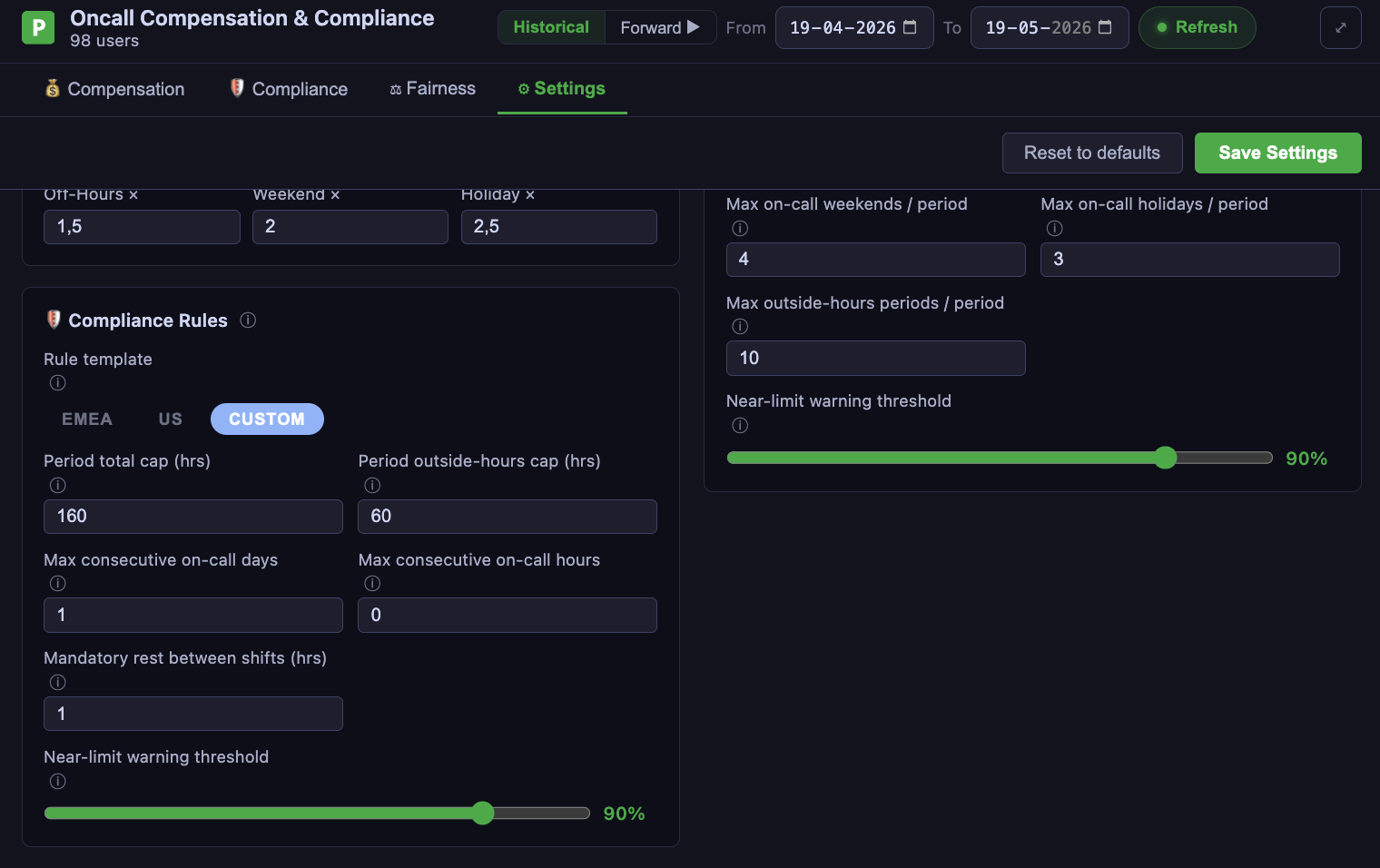
Configure everything that drives the other tabs:
- Data source — whether to include directly-added users or schedule-rotation-only users
- Pay rates — base rate, L2 secondary rate, and multipliers for off-hours, weekends, and holidays
- Business hours — work days, start/end times, timezone, and holiday dates
- Fairness limits — max on-call weekends, holidays, and outside-hours periods per period
- Compliance rules — EMEA / US / custom templates with period caps, consecutive-day limits, mandatory rest, and warning thresholds
What you can do
Set the date range
Use the date pickers at the top to define the reporting window. All tabs update immediately.
Filter by team or escalation policy
Use the team and escalation policy dropdowns to scope the data to a specific group.
Export to CSV
Click Export CSV to download the current table view for sharing with managers or HR.
Drill into a user
Click any row to open the user detail modal with the full breakdown — schedule shifts, incident list, and out-of-hours periods.
How it works
The report calls PagerDuty Analytics tools through the MCP server to fetch on-call schedules and interruption data, then computes business-hours, compliance, and fairness metrics client-side based on your settings. It does not write any data to PagerDuty — --enable-write-tools is not required.
Supported clients
| Client | Status |
|---|---|
| VS Code (GitHub Copilot) | Supported |
| Claude Desktop | Supported |
| Goose | Supported |
Try it out
The On-Call Compensation Report is available on the experimental branch:
uvx --from git+https://github.com/PagerDuty/pagerduty-mcp-server@experimental pagerduty-mcp
Then ask your agent:
Show me the oncall compensation report
The On-Call Compensation Report is experimental. It may change or break between commits and is not covered by the standard support policy. Run it in non-production environments.
Feedback
Found a bug or want to request a column? Open a GitHub issue tagged experimental: