PagerDuty MCP Server
Connect AI assistants to your PagerDuty account via the Model Context Protocol
uvx pagerduty-mcpLocal MCP Server
Run locally via uvx or Docker. Zero config — just add your API token and point any MCP-compatible client at it.
Installation guides →Remote MCP Server
PagerDuty-hosted, OAuth-based. Connect in seconds from Cursor or VS Code — no local installation required.
Remote setup →55 Tools Across 14 Domains
Incidents, on-call schedules, services, teams, event orchestrations, status pages, and more — all from your AI assistant.
Browse tools →Safe by Default
Read-only mode out of the box. Opt into write tools explicitly with --enable-write-tools when you need them.
Learn more →Tool Filtering
Too many tools hurts AI performance. Use mcp-proxy to expose only the subset your workflow needs.
Filtering guide →EU Region Support
Point the server at api.eu.pagerduty.com with a single environment variable. Works with both local and remote modes.
Configuration →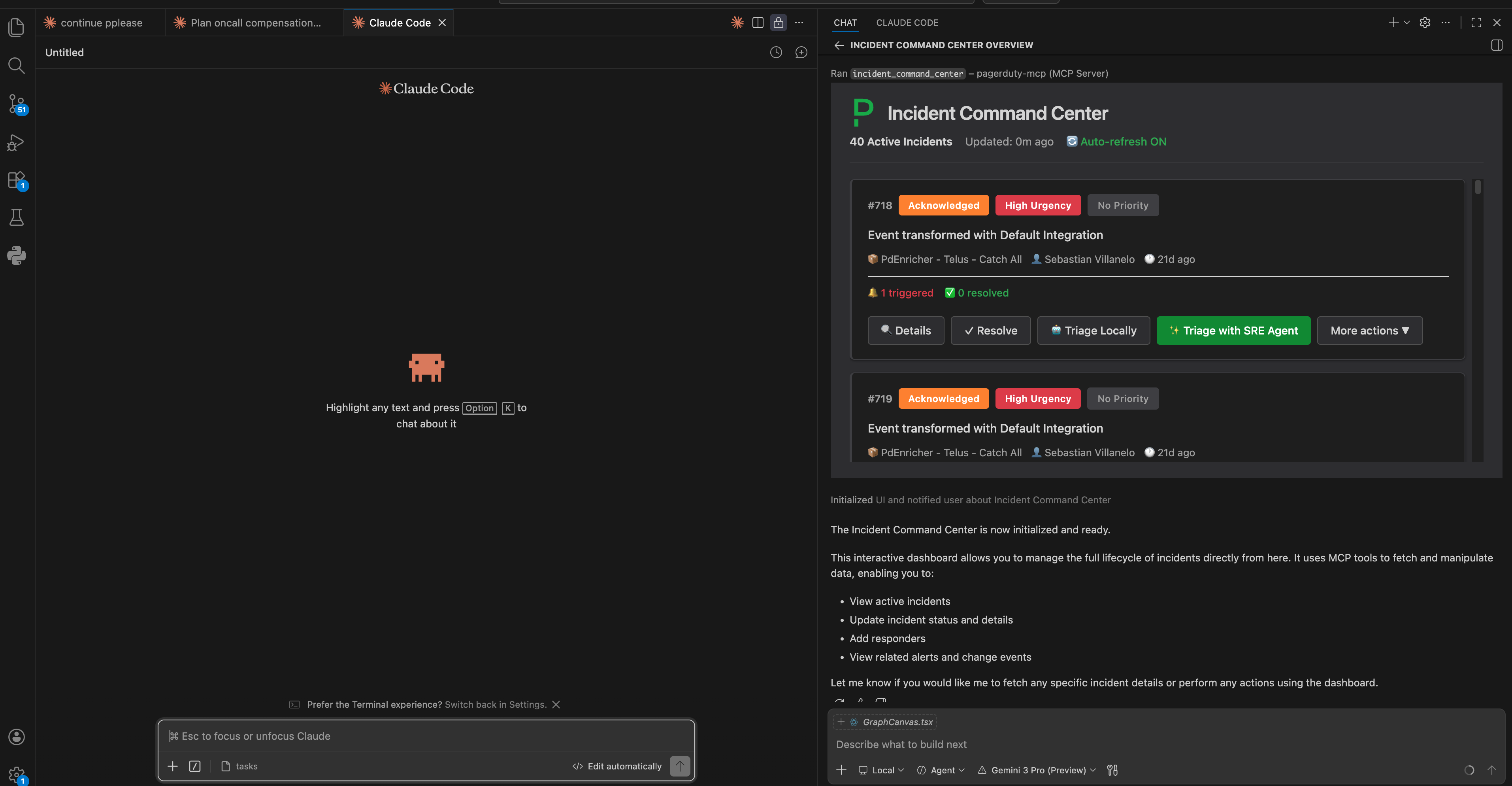
Incident Command Center
A live incident dashboard that renders directly inside your editor. View, triage, and resolve PagerDuty incidents without leaving your chat session.
Explore the experiment →Ready to connect your AI to PagerDuty?
Follow the quick-start guide and have your first tool call running in under 5 minutes.